
3.7Setuproll editorial score
In-YouTube toolkit famous for live A/B testing of titles and thumbnails. Built by TubeBuddy, it is strongest as an AI for YouTube tool. You use it in the browser with a real free tier before the paid plans. Reach for it when you need A/B testing, tag optimization, bulk tools.
Specs
ProviderTubeBuddy
AccessWeb app
PricingFreemiumFree tier + paid plans
Open sourceNo
Contextn/a
Best forA/B testing in ai for youtube
Score3.7Setuproll editorial score
DomainsAI for YouTube
ReleaseActive, maintained
Capabilities
A/B testingtag optimizationbulk toolsSEO
Tips from the floor
1
Start with A/B testing; that is where TubeBuddy pulls ahead.
2
Its tag optimization is worth setting up early, not as an afterthought.
3
Wring out the free tier on small jobs before deciding the paid plan is worth it.
Learn TubeBuddy
Start with the course closest to TubeBuddy, then work through the tutorials below and the step-by-step how-to guides.
Tutorial videos·9
More tutorials on YouTubeTop 2 cover TubeBuddy directly. The rest are related picks from the same space.
 11:30Tubebuddy - How To Tag YouTube Videos BetterTubeBuddy
 13:20How to Rank Videos Using Tubebuddy Keyword Explorer Tool, Tags, and ChecklistsCathrin Manning
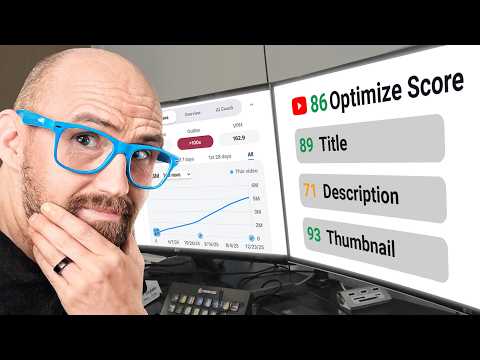 Related17:00How To Grow Your YouTube Channel Using vidIQ in 2026 (Full-Guide)vidIQ
 Related14:30How to Grow Your YouTube Channel with vidIQ in 2026!vidIQ
 Related16:10vidIQ Tutorial For Beginners (2026) - How To Use vidIQ To Grow Your ChannelMetics Media
 Related15:00How to Make YouTube Thumbnails in Canva (like Photoshop | Free Tutorial 2025)Cyberpunk Creative
 Related18:40How to Create High Quality, Clickbait YouTube Thumbnails with PhotoshopPhotoshop Tutorials
 Related20:30How to Start a Faceless YouTube Channel With AI in 2025 (Step-by-Step Tutorial)Make Money With AI
 Related19:00This AI Blogging System Makes $8,400/month (100% Automated)Income stream surfers
Related to TubeBuddy
0 Reviews
Your rating
Sign in to post
Loading discussion...