
I was scared of AI coding agents. Then Windsurf told me what it was about to do.
A complete-beginner setup for Windsurf and Cascade that explains every step before it touches your files, so you actually learn instead of just clicking accept.
Okay so I have to be honest about where I started. Six months ago the words "AI coding agent" made my palms sweat. I pictured some tool that would quietly rewrite my whole project, break everything, and leave me with no idea what happened. As someone who learned to code at night after closing a coffee shop, that fear was very real. I did not want a magic box. I wanted a teacher.
That is the whole reason this build, Windsurf Cascade Onboard, ended up being the one I tell every beginner about. Cascade (that is the agent inside Windsurf) narrates its plan before it does anything, then applies changes in small reviewable steps. The first time it said "here is what I am going to change and why" before touching a single line, I actually relaxed. So here is my exact setup, warts and all.
The whole build in one glance
I am a visual person, so before the configs, here is the entire setup. Nothing fancy. The point of a beginner build is that there is not much to break.
| Piece | What I use | Why a beginner cares |
|---|---|---|
| Editor | Windsurf | It is VS Code-ish, so it feels familiar fast |
| Agent | Cascade | It explains its plan before editing anything |
| Model | Claude Sonnet 4.6 | Smart enough, fast (about 1.4s), cheap (~$0.17/task) |
| MCP servers | filesystem, github | Lets it read my files and my repo, nothing scary |
| Hook | on-save: format | Auto-formats so my code stops looking like a ransom note |
That pass rate sitting around 78 percent in the public stats is honestly fine for what I do. I am building small features, not a bank. And the tradeoff, an agent that slows down and shows its work, is exactly what I wanted.
Rule one: let Cascade explain its plan
Windsurf has these things called rules. They are just plain markdown files where you tell the agent how to behave. There is a global one for everything you do, and you can put a project-specific one in a .windsurf folder. I keep mine almost embarrassingly simple. Here is my global rules file:
# How to work with me (I am still learning)

## Before you edit
- Explain your plan in plain English first. List the files
  you will touch and what changes each one gets.
- Wait for me to say go. Do not edit until I confirm.

## How to edit
- Apply changes one step at a time so I can read each diff.
- Keep us to ONE feature per session. No surprise refactors.

## Teach me
- When you use a term I might not know, add a one-line note.
- If there is a simpler way, say so even if I asked for the
fancy way.Plugging in MCP without losing my mind
MCP scared me for about a week until I watched a two-minute video and realized it is basically just a way to give the agent extra abilities, like reading your files or talking to GitHub. I only run two servers. Filesystem so Cascade can see my project, and github so it can look at my repo and open pull requests when I am brave. Here is my config, copied almost straight from the docs:
{
  "mcpServers": {
    "filesystem": {
      "command": "npx",
      "args": [
        "-y",
        "@modelcontextprotocol/server-filesystem",
        "/Users/sam/code/my-first-app"
      ]
    },
    "github": {
      "command": "npx",
      "args": ["-y", "@modelcontextprotocol/server-github"],
      "env": {
        "GITHUB_PERSONAL_ACCESS_TOKEN": "${GITHUB_TOKEN}"
      }
    }
  }
} 26:54
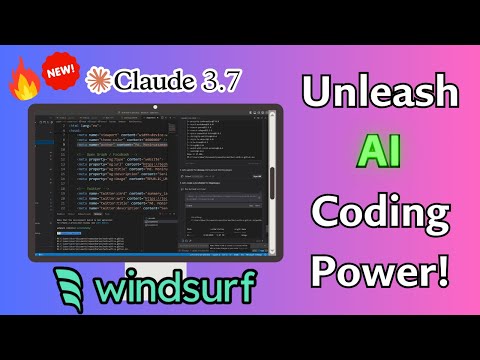
26:54That video is the one I sent to my friend who was on the fence between Windsurf and Cursor. It walks the whole install and the editor side by side. I landed on Windsurf because the narrated plan thing fit my nervous-beginner brain better, but honestly you would do fine either way.
The one hook I actually use
I do not have a wall of automation. I have exactly one hook, and it runs my formatter every time a file gets saved. That is it. When you are starting out, formatting feels like a luxury, but having consistent code made my diffs so much easier to read that it loops right back into learning faster.
{
  "hooks": {
    "onSave": [
      {
        "name": "format",
        "command": "npx prettier --write ${file}",
        "runOn": ["*.ts", "*.tsx", "*.js", "*.jsx", "*.css"]
      }
    ]
  }
}Look at that. It told me what localStorage was without me asking. For somebody who learns by reading explanations, that little habit is worth more than any benchmark score.
A real session, start to finish
Here is roughly what my terminal looks like when I set this up on a fresh machine. I keep a note of these commands because I will absolutely forget them otherwise.
The reading that actually helped me
I am not going to pretend I read everything. But these two pages are the ones I keep open in a tab. The Windsurf docs explain the rules-versus-memories thing way better than I just did, and the MCP repo is where I finally understood what these servers even are.
Overview - Windsurf Docs (Cascade)Official Cascade docs. The rules vs memories section and the four rule activation modes are exactly what a beginner needs.docs.windsurf.commodelcontextprotocol/modelcontextprotocolThe source repo for the MCP spec. Reading the examples here is what made MCP click for me. It is just tools the agent can call.modelcontextprotocol18.2kWhat I would tell six-months-ago me
- The agent is not going to ambush your files. Make it explain first and you stay in control.
- Two MCP servers is plenty when you start. Filesystem and github. Add more later if you ever need them.
- One hook (format on save) is worth setting up on day one.
- Read the diffs. That is where the learning lives, not in the chat.
- Never put a token in a config file. Use an env var. Trust me.
Six months ago I thought I needed to be "a real programmer" before I touched any of this. Turns out the gentlest agent met me right where I was and pulled me forward. If you have been putting this off because it feels like too much, this is the setup I wish someone had handed me. Grab Windsurf from windsurf.com, drop in the rules file above, point Cascade at one small feature, and ask it to explain its plan first. That single step is the whole thing. Go build something tiny today.