
Tab is doing 70% of my typing now, and I am not going back
My Cursor setup tuned for one thing only: editing at the speed I think. Tab, Agent mode, and Figma frames straight into components.
I am going to be blunt. Most AI coding writeups read like someone planning a moon landing. Subagent orchestras. Five hooks. A CLAUDE.md the length of a lease. That is not how I work. I work fast, and my whole setup exists to keep me fast.
This is Cursor. Claude Sonnet 4.6 under the hood. Three MCP servers, one background worker, two hooks, and a tight .cursorrules per repo. That is it. On the Setuproll bench it clocks 0.8s average response, which is the fastest number on the board, and an 82% pass rate. I will take 82% at that speed over 89% where I am sitting there watching a spinner.
Tab is the whole product
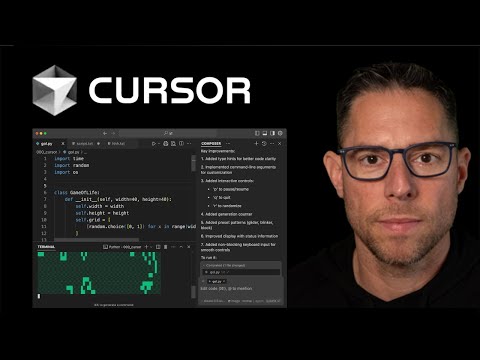
People install Cursor and immediately open the chat panel like it is ChatGPT with a file tree. Wrong instinct. The thing that makes Cursor feel different is Tab. You start a line, it predicts the rest, it predicts the next edit three lines down, it follows your cursor around a refactor. When it is warmed up on your file it is genuinely uncanny.
My rule, the one pinned in every repo: Tab for inline, Agent for multi-file. If a change lives in one function, I never open chat. I nudge, Tab, accept, done. Agent mode only comes out when I am touching four files and need it to hold the thread across all of them.
The rules file, kept short on purpose
Long rules files make the model slower and dumber. I have watched it happen. So mine is short and it is per repo, committed to git so the whole team gets the same behavior. New Cursor wants .mdc files under .cursor/rules with frontmatter. Here is the one that runs on every TS file in my frontend repo.
---
description: Frontend conventions for this repo
globs: ["src/**/*.{ts,tsx}"]
alwaysApply: true
---

- Tab for inline edits, Agent mode only for multi-file work.
- React + TypeScript. Function components. No class components.
- Tailwind only. No CSS modules, no styled-components.
- Reuse components from src/components before writing a new one.
- Match the Figma frame exactly when one is referenced in the prompt.
- Keep edits surgical. Do not reformat lines I did not touch.Three MCP servers, no more
MCP is where setups go to die. People wire in twelve servers and then wonder why startup is sluggish. I run exactly three: github, linear, figma. GitHub so Agent can read PRs and open them. Linear so I can say fix the bug in ENG-412 and it pulls the ticket. Figma because that is my actual superpower, more on that in a second.
{
  "mcpServers": {
    "github": {
      "command": "npx",
      "args": ["-y", "@modelcontextprotocol/server-github"],
      "env": { "GITHUB_TOKEN": "${GITHUB_TOKEN}" }
    },
    "linear": {
      "url": "https://mcp.linear.app/sse"
    },
    "figma": {
      "command": "npx",
      "args": ["-y", "figma-developer-mcp", "--stdio"],
      "env": { "FIGMA_API_KEY": "${FIGMA_API_KEY}" }
    }
  }
}
The Figma one is the cheat code. I select a frame, grab the link, and tell Agent: build this as a component, match spacing and colors, use our Button. It reads the frame through the MCP server and gets the layout right on the first pass most of the time. The days of squinting at a design and eyeballing padding are over for me.
 28:05
28:05Two hooks, both invisible
I do not want to think about formatting or lint. Ever. So two hooks handle it and I never see them work. On save it runs the formatter. On commit, lint-staged cleans only the staged files. The point is that the model never has to remember to format, because the tooling does it no matter what.
{
  "scripts": {
    "format": "prettier --write"
  },
  "lint-staged": {
    "*.{ts,tsx}": ["eslint --fix", "prettier --write"]
  },
  "simple-git-hooks": {
    "pre-commit": "npx lint-staged"
  }
}
Cursor's on-save format hook points at that format script. The on-commit one is just lint-staged riding the pre-commit hook. Nothing clever. The whole value is that it is automatic and I forgot it exists, which is exactly how a good hook should feel.
One background worker
The only subagent I run is the Agent mode worker. I kick off a multi-file change, let it churn in the background, and keep editing something else with Tab. When it is done I review the diff in one pass. I am not building a five-agent pipeline. I have one helper and it knows its job.
The whole setup at a glance
| Piece | What I run | Why |
|---|---|---|
| Editor | Cursor | Tab completions are unmatched |
| Model | Claude Sonnet 4.6 | Fast, smart enough for frontend |
| MCP | github, linear, figma | PRs, tickets, design to code |
| Subagent | agent-mode-worker | Multi-file changes in the background |
| Hooks | on-save format, on-commit lint-staged | I never think about formatting |
- Retrain your hands to hit Tab before you open chat.
- Keep .cursorrules short and per repo, in git.
- Cap MCP at the servers you use weekly. Three is plenty.
- Let hooks own formatting so the model never has to.
- Reference Figma frames directly in your prompts.
 3:12
3:12That is the entire build. No moon landing. Just an editor tuned so the boring keystrokes disappear and I spend my attention on the decisions that actually matter. I shipped two features yesterday and barely touched the chat panel. Try it for a week. Hit Tab instead of typing the obvious part. You will feel the difference by Wednesday, and you will not want to go back either.
Get it: download Cursor from cursor.com, then drop my rules and mcp.json into .cursor/. Install command for this build: npx rule-porter init --target cursor to scaffold the rules folder, then paste the config above.